
Job tracker
Keep every promising role moving.
The filter helps you decide what is worth attention. The tracker keeps the rest organized: saved jobs, applications, interviews, deadlines, notes, contacts, and the original description.
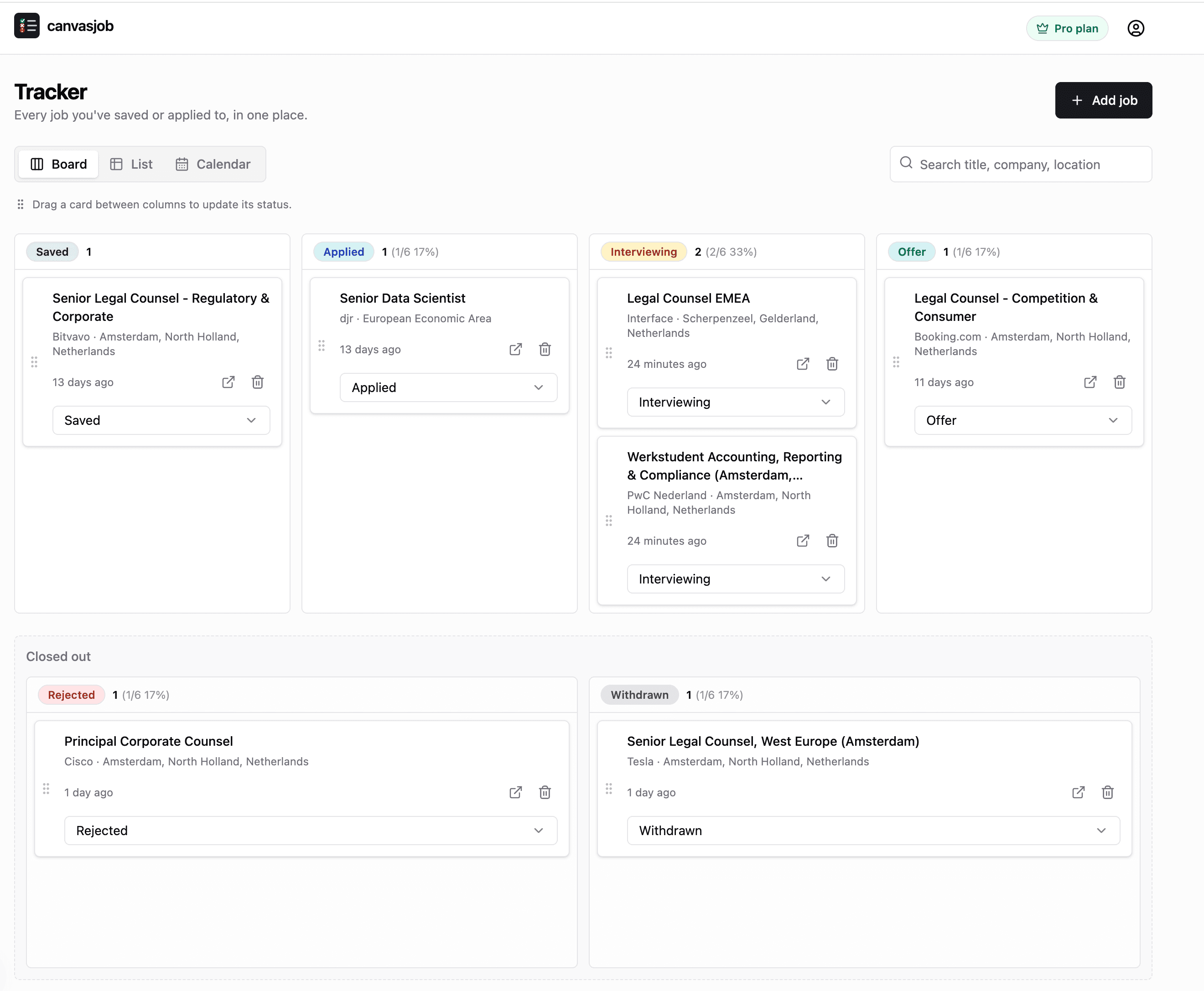
Views
Board, list, and calendar. Same jobs, different lens.
Use the board when you are moving work forward, the list when you need fast scanning, and the calendar when deadlines and interviews matter most.
Board
Move jobs through Saved, Applied, Interviewing, Offer, Rejected, and Withdrawn without losing context.
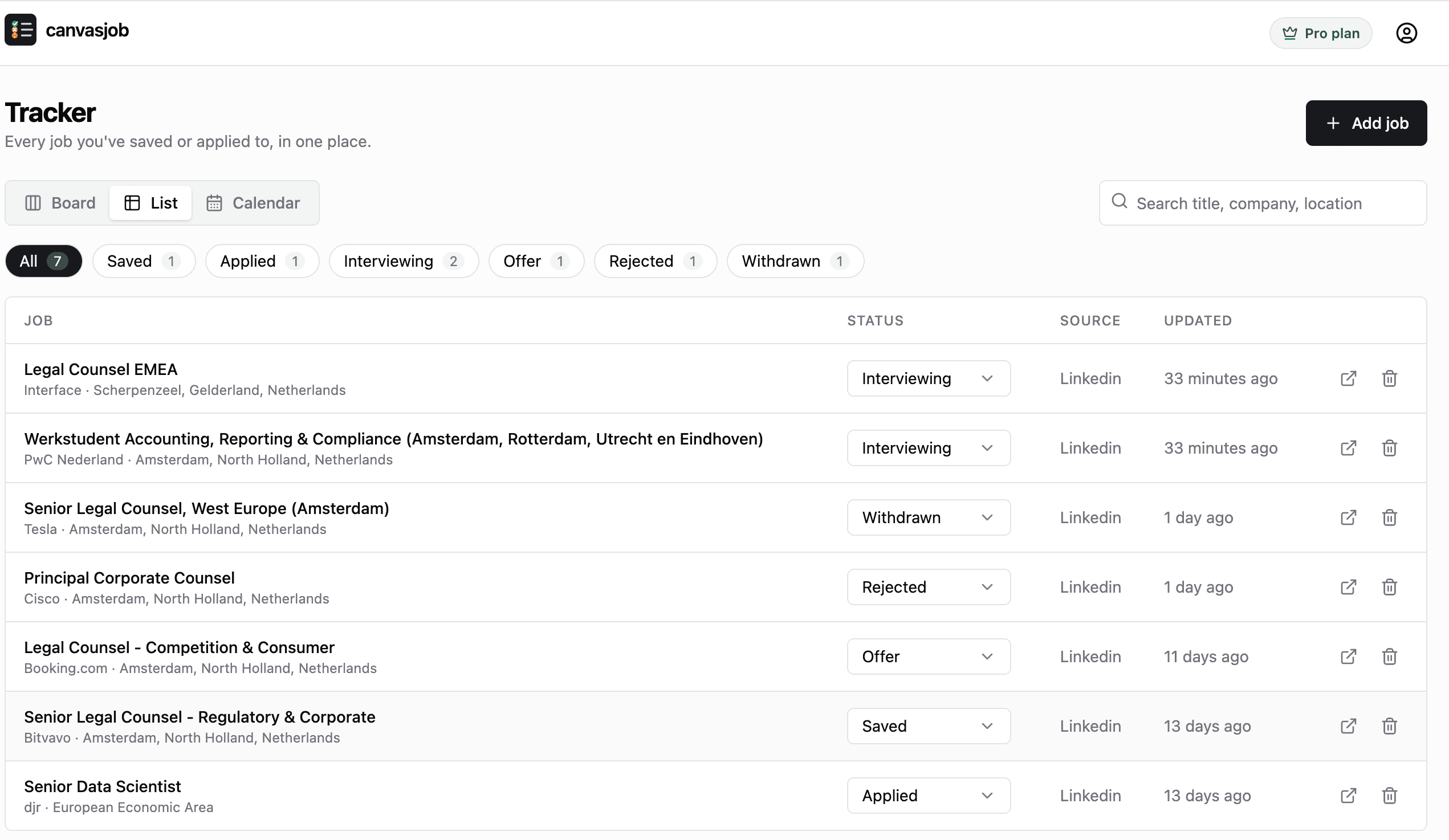
List
Scan every role in a compact table, filter by status, search by title, company, or location, and update status inline.
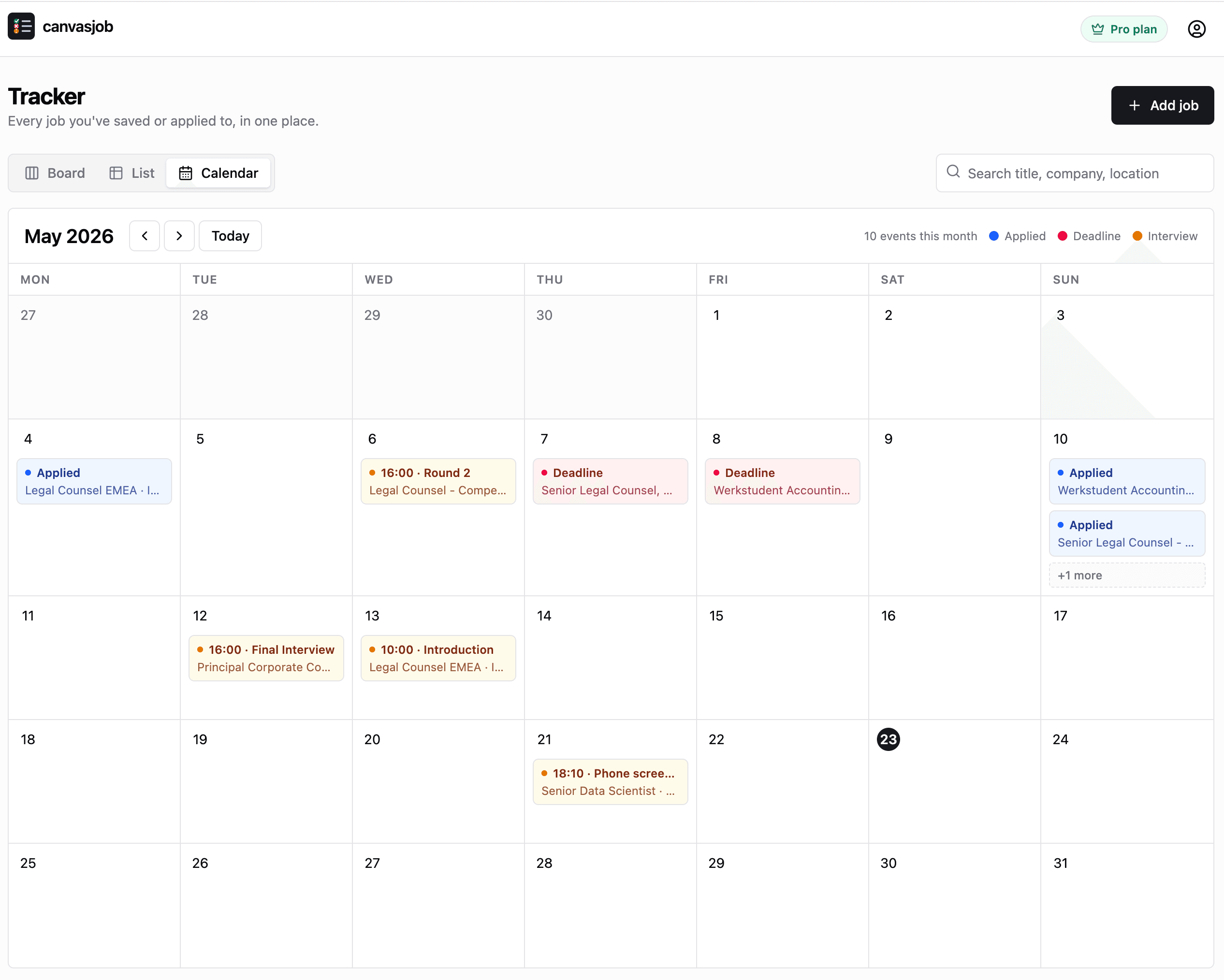
Calendar
See applied dates, deadlines, and interview rounds in one month view so follow-ups do not slip past you.
Add jobs
Save from the extension, or add any role manually.
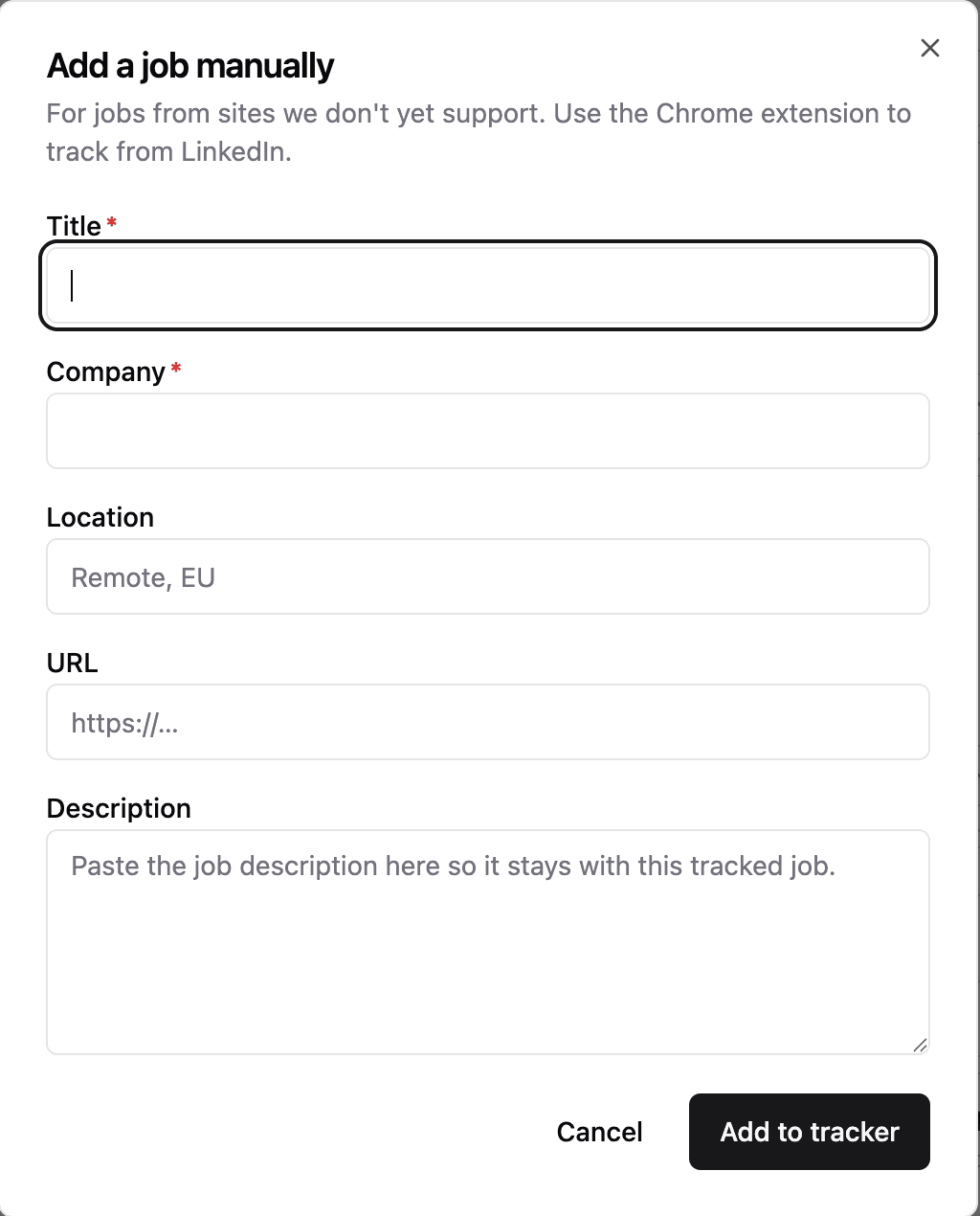
LinkedIn roles can come straight from the side panel. Jobs from other boards, recruiter emails, or company career pages can be added with a short manual form.
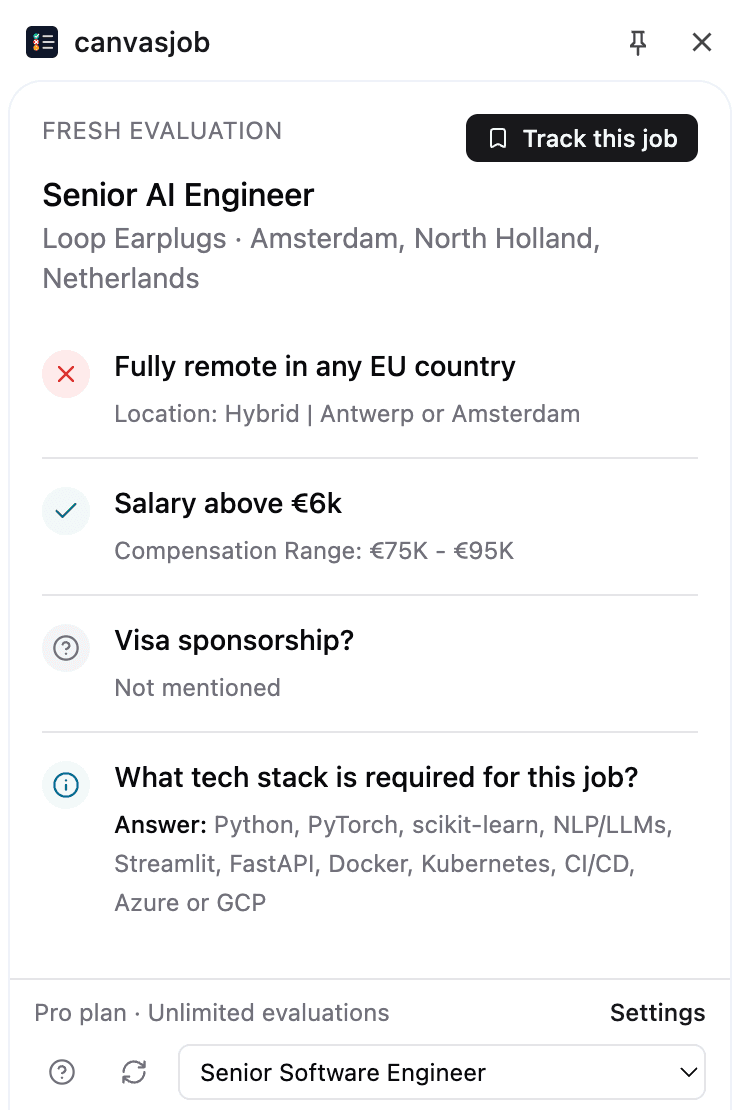
Track from the extension
After an evaluation, save the job with one click. The title, company, location, URL, source, and description follow it into the tracker.
Add jobs manually
Paste in a role from any source and keep it in the same workflow as extension-tracked LinkedIn jobs.
Job page
One page for the details that decide the next move.
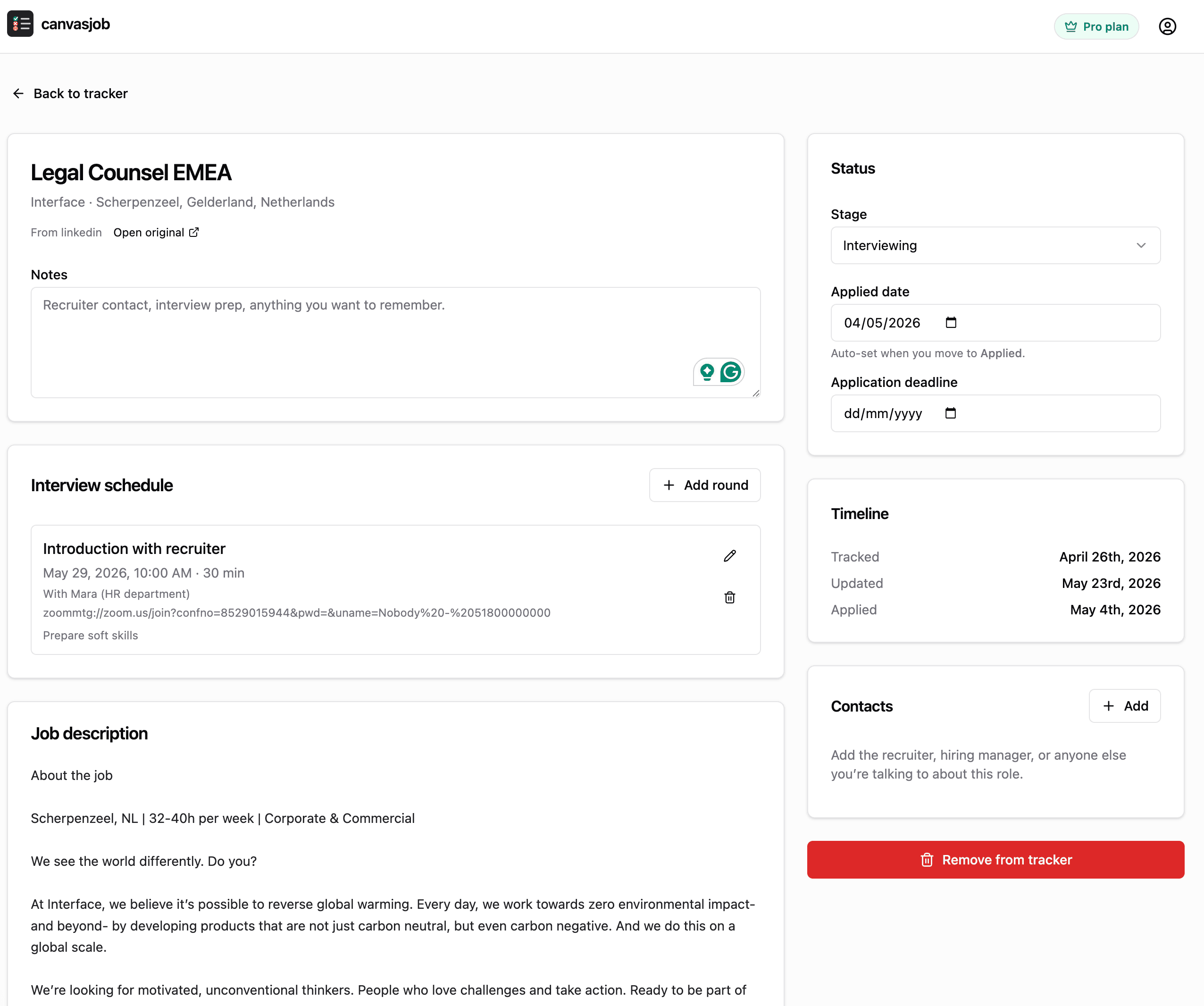
Every tracked job opens into a workspace for the full application context, from interview prep and contacts to the saved description.
Notes
Keep recruiter context, prep thoughts, and next steps attached to the role.
Deadlines
Store application deadlines and applied dates alongside the current stage.
Interview schedule
Add rounds with times, links, contacts, and prep notes.
Contacts
Track the recruiter, hiring manager, or anyone else you speak with.
Timeline
See when the job was tracked, updated, and moved through stages.
Original description
Keep the listing text available after the job board changes or removes it.
Turn promising jobs into a clean pipeline.
Start with the Chrome extension, save the roles worth pursuing, and manage every next step in the canvasjob tracker.